
Make it yours
Everything here is an edit to site.config.ts or one command, in the order that avoids redoing
work: the noun and the URL scheme before the content, site.url before the build. Each step ends
with a check; the Quickstart and pnpm dev come first.
-
Name it.
site.config.ts site: {name: 'Acme Directory', // header, footer, page titles, JSON-LDtagline: 'The best widgets, ranked', // the home page heading and its titledescription: 'A curated directory of widgets, compared on price and features.', // home meta descriptionurl: 'https://acme.com', // https, no trailing slashcontactEmail: 'hello@acme.com', // footer and about pagelocale: 'en', // html lang, feed language, date formattingkind: 'software', // software | service | business},descriptionis capped at 160 characters: it is the home page’s meta description.kindsets the default ofseo.jsonLd.listing:softwareemits SoftwareApplication,serviceOrganization,businessLocalBusiness — which needsaddressandtelephonecustom fields on the listing, else Organization.pnpm check:configanswerssite.config.ts OK — Acme Directory (https://acme.com); …. -
Give it its URLs and its noun.
site.config.ts routes: {listingBase: 'widgets', // /widgets/<slug>/ and /widgets/page/2/categoryBase: 'categories', // /categories/<slug>/tagBase: 'tags', // /tags/<slug>/listingNoun: { singular: 'widget', plural: 'widgets' },},The three bases must differ, and none may be a reserved segment such as
blog,searchoradmin:site.config.ts › routes.listingBase: "blog" is a reserved path segment.listingNounfills{noun}and{nouns}in every SEO template, the footer’s Submit a widget link and the about page. Decide the bases now: changing one later changes every canonical, sitemap entry and OG image URL, and the old pages stop existing.Open
http://localhost:4321/widgets/: the listing index, paginated atlisting.perPage. -
Categories and tags.
site.config.ts categories: [{ slug: 'blue', name: 'Blue', description: 'Widgets that are blue.', icon: 'palette', order: 1 },{ slug: 'fast', name: 'Fast', description: 'Widgets that are quick.', icon: 'zap', order: 2 },],tags: [{ slug: 'open-source', name: 'Open source', description: 'Source available.' },],A category is a page, a breadcrumb and a sitemap entry; a tag is a label.
ordersorts the chips, the grid and the neighbour links;seoTitleandseoDescriptionreplace the templates for that page.iconis a lucide icon name (browse lucide.dev);defineSiteConfig()merges category icons intotheme.icons, the list astro-icon bundles, so never add them there — that list is for template icons;src/icons/holds your own SVGs.Every listing’s
categorymust be one of these slugs, or the build stops and the previous deploy stays live:listings › my-widget: unknown category "green" (slug "my-widget"); categories in site.config.ts: blue, fastAn unknown tag is only dropped:
listings › my-widget: unknown tag(s) "beta" filtered (slug "my-widget"; not in site.config.ts tags). An unused tag gets no page; a category always does,noindexbelowseo.noindexBelowlistings.pnpm check:configcounts<n> categories, <n> tags; on/widgets/the chips are now yours: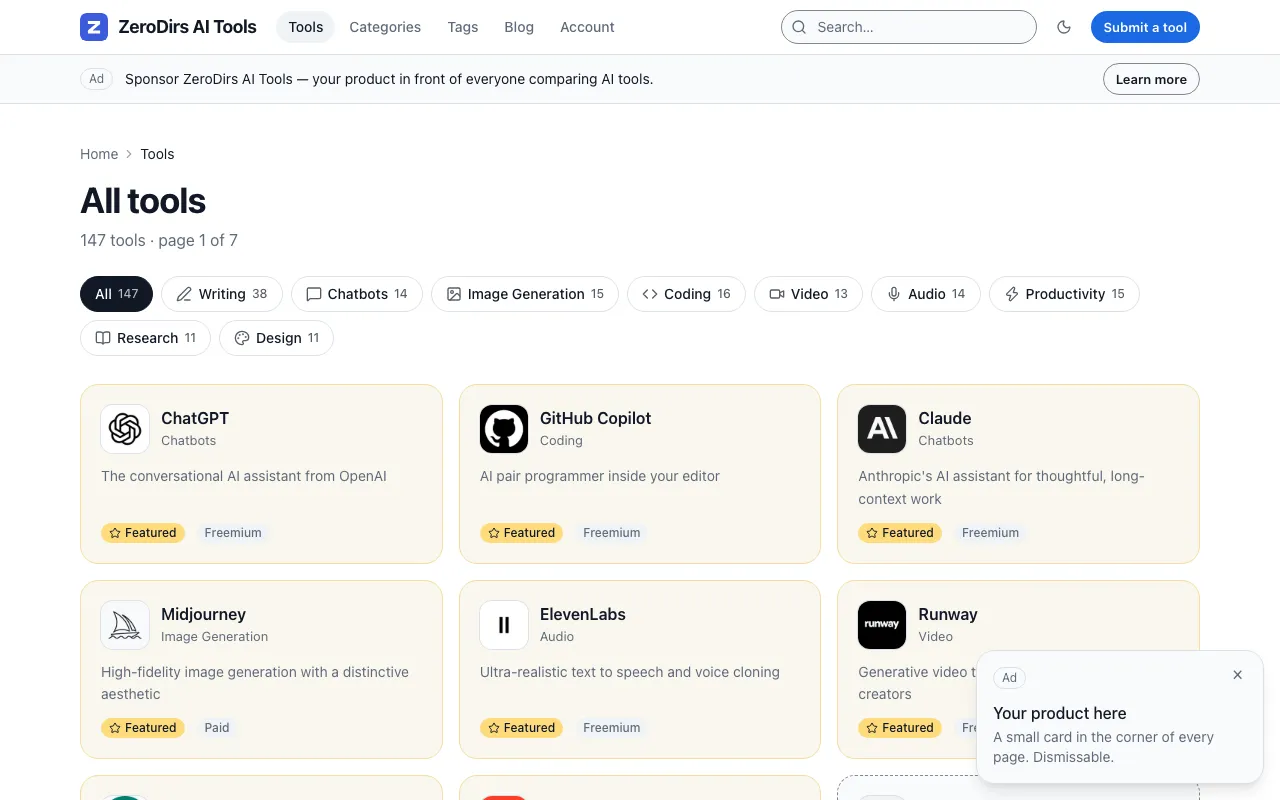
-
Tiers.
site.config.ts tiers: [{ id: 'free', name: 'Free', description: 'Reviewed in order, listed for free.', kind: 'queue', priceCents: 0, currency: 'usd', enabled: true },],Required in files mode too (
at least one tier is required, one enabled): every listing’stierreads it, and the free tier alone is complete. A priced tier (kind: 'express', or'featured'withfeaturedDays) can only be enabled withfeatures.payments: trueandproviders.payment: 'stripe'; the demo ships both priced tiers on, so turning payments off without disabling them fails:tiers[1].priceCents: must be 0 when features.payments is false. Keep the prices; the pricing table renders from them. Selling is Plans and payments.pnpm check:configprints<n> tiers (<n> enabled). -
Validate.
Terminal pnpm check:configA failure names every field path at once:
site.config.ts is invalid (2 issues):site.config.ts › site.description: must be at most 160 characters (home meta description)site.config.ts › routes.tagBase: must differ from routes.categoryBase ("categories")Success prints the counts and the file estimate against
budget.plan:site.config.ts OK — Acme Directory (https://acme.com); <n> categories, <n> tags, <n> tiers (<n> enabled), <n> pSEO templates, preset "default", <n> iconslistings: <n> (src/content/listings); logos served directlybudget: <n> listings × <n> files + 3000 overhead ≈ <n> / 20000 files (free plan, <n>%) — okheadroom: up to ~<n> listings before the 90% limit on the free planAbove 80% of the plan it warns, above 90% it exits 1, as the build would — Cost and limits. Every field is in the reference.
-
Replace the demo content.
Terminal pnpm content:reset --yesWithout
--yesit only prints what it would delete. With it, it emptiessrc/content/listings/,src/content/blog/andpublic/logos/, keepsunpublished-draft.md(thedraft: truefixture), and writes oneexample-<category>.mdper category from your own config — first two tags, first pricing type, first tier, no logo — capped at 6 (--count N), plus ahello-world.mdpost:reset: removed <n> listings, <n> blog posts, <n> logosreset: wrote <n> example listings (one per category, capped at 6 of <n> categories) and src/content/blog/hello-world.mdreset: kept src/content/pseo/example-override.mdreset: kept src/content/blog/unpublished-draft.md (starter fixture, draft: true — delete it if you do not want it)next: pnpm check:config && pnpm dev — or tsx scripts/content.ts use ai-tools --yes to put the demo data backThen bring your listings in:
Terminal pnpm listings:import widgets.csv --dry-run # every bad row in one pass; writes nothingpnpm listings:import widgets.csvCSV or JSON, columns on Listings and datasets; an unknown category is a hard error here too. For a different sample,
pnpm content:use indie-tools --yescopies that dataset in and prints thecategoriesandtagsblocks to paste, never editingsite.config.ts.pnpm check:confignow sayslistings: <n> (src/content/listings), and every category page shows its example. -
Brand it.
Four pieces of ZeroDirs branding live outside the config:
What Where What to do Favicon and header logo public/favicon.svgOverwrite it: site.logo: '/favicon.svg'makes it the header logo and the JSON-LD Organization logo. Removesite.logofor a text-only headerSocial-share image public/og-default.pngpnpm og:defaultregenerates it fromsite.name,site.taglineandsite.description. Every page without a generated image uses it; underseo.ogImages: 'static', every pageAbout page src/pages/about.astroThe paragraphs under “How widgets get in” and “Featured placement is disclosed” are the demo’s editorial policy — rewrite them Handles seo.twitterHandle,site.socialthe twitter:sitemeta tag; the footer’s X and GitHub links andsameAsin JSON-LD. All still sayzerodirsThe footer is all config: name, tagline, contact email, the nav, the links each feature switches on, Terms and Privacy once
legal.termsUrlandlegal.privacyUrlare set (both pages ship), and Built with ZeroDirs, off withsite.builtWith: false; the licence does not require it.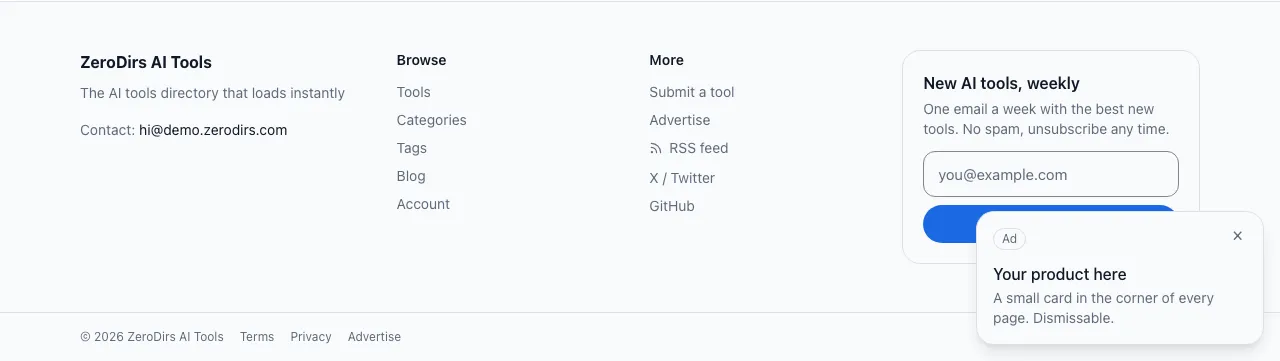
pnpm og:default --checkanswerspublic/og-default.png is up to date (<n> bytes, "Acme Directory")and exits 1 when stale — put it in CI. -
Switch things on or off.
The defaults need no account; the demo file turns on what its account provides. A flag without the thing it needs buys a route that answers 503 — open its page first.
features.Default Demo What it adds Page submissionsfalsetruethe Submit link; the form and review queue need D1 Submissions accountsfalsetruesign-in by emailed link or Google, and /account/Submitter accounts paymentsfalsetrueStripe Checkout for priced tiers; needs two secrets Plans and payments newsletter'off''d1'the footer form: 'embed'rendersnewsletter.embedHtml,'d1'stores subscribers in D1Newsletter blogtruetrue/blog/,/blog/rss.xml, the Blog nav itemBlog and feeds searchtruetrue/search/and the search boxes; the index exists only afterpnpm buildSearch clicks'off''ping'click counting through /out/<id>/:'ping'adds a beacon,'redirect'routes the clickClick tracking relatedLinkstruetruethe related list on detail pages Programmatic SEO pseotruetruethe generated pages from pseo.templatesProgrammatic SEO honeypottruetruea hidden field on both forms; a filled one is dropped silently Submissions Ads are not a flag: each placement is a boolean in the
adsblock — Ads and sponsors. The demo ships its top banner as a house ad for ZeroDirs; giveads.topBanneryour own text andurl, or set it toenabled: false.pnpm check:configfails when a flag contradicts another block, and/admin/lists what a switched-on flag still needs, such asMissing secret STRIPE_SECRET_KEY — run: wrangler secret put STRIPE_SECRET_KEY (local: add to .dev.vars). Paid tiers cannot complete a checkout. -
Pick a theme.
theme: { preset: 'warm' }— the presets aredefault,warmandmono;darkModeissystem,lightordark;theme.tokensoverrides colours, radii and fonts — Theming.pnpm check:configprintspreset "warm". -
Set
site.urlto the real domain, and build.Terminal pnpm check:config && pnpm buildsite.urlis baked in at build time: canonicals, the sitemap, both feeds and the absoluteog:imageURLs embed it. Built with the demo value, every canonical points at someone else’s domain, and search engines follow it;pnpm cf:setuprefuses to run while it still saysdemo.zerodirs.comorexample.com. Read these lines:routes: <n> directory pages (<n> listings, <n> index pages, <n> category pages, <n> tag pages, <n> pseo, <n> noindex) → node_modules/.cache/zerodirs/routes.json (<n> routes incl. static pages)pseo: generated <n> (dropped by minItems <n>, truncated <n>)sitemap: <n> urls in <n> chunks (listings=<n>, taxonomy=<n>, pseo=<n>, blog=<n>, pages=<n>); dropped <n> (search/noindex/disallow/file); pseo slugs: <n>budget: <n> files / 20000 (<n>%) — free plan, okzero-js: <n> content pages, 0 islands, 0 external scripts — okseo-report: scanned <n> pages; <n> listings; <n> noindex; pseo <n> pages (best-category-for-tag=<n>, name-alternatives=<n>)seo-report: inbound links per listing: min <n>; orphans (fewer than 2 inbound): 0 [strictLinks=on]budgetandzero-jsmust end inok. Withseo.strictLinks: true, the demo’s setting, an orphan listing fails the build; the defaultfalseonly warns. SEO explains each line.
Verify
Section titled “Verify”pnpm preview serves the build. Open these on the URL it prints:
| Open | You should see | |
|---|---|---|
| The home page | / |
your name in the header, your tagline as the heading, your categories as chips |
| A category | /categories/<slug>/ |
its listings — after the reset, the one example — and its icon beside the heading |
| A listing | /widgets/<slug>/ |
the detail page, an initial-letter tile until it has a logo |
| Robots | /robots.txt |
User-agent: *, Disallow: lines, Sitemap: https://acme.com/sitemap-index.xml with your domain |
| The sitemap | /sitemap-index.xml |
sitemap-listings-0.xml, sitemap-taxonomy-0.xml, sitemap-blog-0.xml, sitemap-pages-0.xml — and sitemap-pseo-0.xml once a generated page exists — each starting with your site.url |